The Ultimate Guide To Joomla - Step By Step Joomla Videos |
| Name of book: | The Ultimate Guide To Joomla |
| Author: | Jim Becker |
| Blurb: | Now Includes a Sample Joomla Site Built From Scratch. One Of The Most Informative Joomla Video Tutorials Out There Right Now. |
| Price: | $47.00 |
| Book Website: | Get Ebook Now |
| Description: |
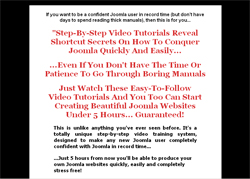
- "The Ultimate Guide To Joomla" is a step-by-step video tutorial training that shows you Joomla-conquering shortcut secrets in under 5 hours, and without any headaches. It contains detailed instructions, explaining how to perform each task. It has easy-to-follow, step-by-step instructions on how to master the basic as well as advanced functions of Joomla quickly and easily.
- You'll learn:
-How to install Joomla, including creating MySQL database in just a few simple steps
-How to setup Joomla
-How to finally take command of all the Joomla components such as Media Manager, Template Manger, Mass Mailer Component, Newsfeeds, Polls, Syndication, Weblinks, Menu Manager and start using Joomla like a pro.
-What is Content section and why it is needed.
-How to quickly configure the default template.
-How to quickly change templates.
-How to add fresh Newsfeeds for SEO purposes?
-Discover Joomla big secret - Feeds.
-Learn about Polls and how to use them.
-How to setup access level for different types of users.
-How to add Clickbank links in the Weblink Manager.
-How to add images.
-How to add static content items.
-How to setup Contact Management.
-How to setup your blog.
-Learn about Modules, Mambots, and Installers including brief description of each item.
-How to select which Modules to use and why.
-Everything you need to know to about Mass Mailer, a very cool tool and much more.
-How to add Picture Gallery and allow registered users to upload their own pictures.
-How to add Humor Section or any other new section and allow users to contribute their own content.
You will learn everything needed to create Joomla sites.
- Here's exactly what's covered in each video:
Module #1 – Basics
Basic introduction to Joomla
Installing Joomla using Fantastico
Installing Joomla manually – uploading the Joomla setup files, doing the pre-installation check, changing permissions, setting up MySQL database, creating and adding username and password to that database
Module #2 – Joomla Setup
Setting up Global Configuration including Site, Locale, Content, Database, Server, Metadata, Mail, Cache, Statistics, and SEO
Setting up Media Manager
Setting up Template Manger
Setting up Categories, Sections, and Content
Setting up Static Content Items
Module #3 – More Setup Options
Learn about Frontpage Manger
Components – Banner Management, setting up banners based on impressions
Setting up Contact Management – creating and adding a new contact
Setting up Mass Mailer Component – learning about the access levels
Setting up Newsfeeds
Setting up Polls – setting up lag time to avoid multiple voting
Setting up Syndication
Learn about Security Check, Cache Time, Setting up the feeds for your site RSS1.0, RSS2.0, ATOM0.3, and OPML
Setting up Web Links – adding web link categories and setting up access level
Learning about Modules
Learning about Mambots
Learning about Installers
Module #4 – Creating Site
Learning about Menu Manager – including main menu, other menu, top menu, and user menu
Setting up the home page, from the default Joomla license page
Adding a Menu Item
Modifying the Template – editing the CSS and removing the default header
Adding the new header the correct way
Module #5 – Site Setup
Getting rid of the unwanted menu items, news flashes, and other default items
Unpublishing the unwanted Modules
Adding content items and publishing them
Adding Newsflash
Setting up Contact Categories
Learning about Weblink Manager
Adding a new Weblink
Learn about adding Clickbank links in Weblink Manger
Adding and setting up Blog
Module #6 – Even More Site Setup Options
Setting up Feeds – Unpublishing unrelated feeds, adding a new feed
Adding Clickbank Feeds from Clickbank RSS Feed Generator to make affiliate commissions
Adding FAQ section – adding new category in category manager
Final Cleanup – unpublishing unwanted banners, removing the default Joomla logo on the right, adding code from the resources file to align the template after removing the logo on the right
Module #7 – Inside The Site
Learning about User Menu, allowing users to submit content or web links
Adding content for only the registered users
Adding Picture Gallery into the members-only area
Adding additional categories, sections, and content – adding a Humor Section into the members-only area
Final Cleanup and giving your site the all-needed final touch.
- Price: $47.00 - Get Ebook Now
|
| You might also like: |
|
|
|
The Ultimate Guide To Joomla - Step By Step Joomla Videos
Price: $47.00
|
|

