Photoshop Expert |
| Name of book: | Photoshop Expert: The Easy Way |
| Author: | Not Available |
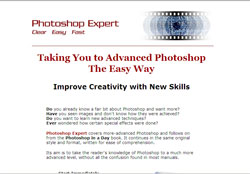
| Blurb: | Photoshop Expert covers more-advanced Photoshop techniques. This e-book has an original style and format, written for ease of comprehension and lavishly illustrated. It avoids all the confusion found in most manuals. |
| Price: | $27.00 |
| Book Website: | Get Ebook Now |
| Description: |
- "Photoshop Expert: The Easy Way" covers more-advanced Photoshop and follows on from the Photoshop in a Day book. It continues in the same original style and format, written for ease of comprehension. Its aim is to take the reader's knowledge of Photoshop to a much more advanced level, without all the confusion found in most manuals. You will be gaining valuable hands-on practice and experience by working directly on images with highly relevant projects. With this book, you can:
-Start immediately
-Avoid confusion
-Save time
-Save effort
-Stimulate creativity.
- This e-book is over 300 pages. With this book:
-Save time with this quick-learning system
-Easy-to-follow style and layout
-Start new and challenging projects immediately
-Stimulate creativity with fresh techniques
-New information is presented gradually but concisely as required
-A lack of jargon and full explanations of technical matters
-Clear, numbered instructions with masses of illustrations
-Each project is a separate and distinct exercise
-Dozens of tutorials and more than 300 pages
-Work directly on images
-Lots of advanced techniques and tricks covered
-Learn the methods used by the Pros
-This manual is just about all you will need to become an expert at image manipulation and photographic retouching.
- Here's what you'll find in this manual:
-Learn new techniques, create original special effects and stimulate the imagination
-Create Fire, Flames, Explosions, Snow, Rain and Storms
-Create Water Drops and Droplets into an image
-Create a realistic Rainbow
-Replicate traditional Bromoil prints
-Create Snow, Rain and Storms
-Create Wood Grain and Carved and Embossed Letters
-The art of making Reflections
-Colour effects which are only limited by the imagination
-Realistic blending of images with Displacement Maps
-Making grids and webs
-Create Fluorescence; Woodcut effects
-Text dripping like treacle and melting gold
-Multi-coloured grain; Indexed Color; Coloured dots; Diffusion Dither
-Make skin out of nothing
-Set skin tone accurately for all types of complexions
-Add a blue sky to a range of images and blend in with the scene
-Explanations of ppi, dpi and lpi. Understand more about Pixels and Resolution
-Converting an image from Day to Night
-Turning normal images into black & white infra-red and colour infra-red
-Special advanced techniques of selecting fine detail like fur and hair; trapping masks; refining masks
-Going deeply into Apply Image and Calculations for advanced blending of channels
-Fun with Filters: examples of just about every filter in the box and how to get the most out of them
-Halftone Graphics: what it is and how we can use it
-Sharpening and the little-used High Pass filter
-Make a burning sun for outer space
-Curling up the corner of a page and save on buying a plug-in
-Flashy flash effects on text
-Improving skin: reducing and removing wrinkles; smoothing skin texture; rebuilding eyes; balancing skin improvements with reality
-Rescuing an old faded photograph; restoring its colour and tone
-Removing stains from old photographs
-Retouching badly exposed images
-Colour correction in CMYK mode by using numbers - made for colour-blind workers
-Healing and Gamma: see in the dark with an Adjustment Layer
-Warping text for extra impact; making text into odd shapes
-Learn about hanging punctuation for improved text layouts
-A refined twist to text alignment
-Working in Adobe Camera Raw; getting more detail out of a Raw image
-Make a web link button that looks like a bubble
-Turn a photograph into an airbrush-style illustration
-Smart and non-destructive ways of removing colour casts
-Advanced use of the layers Knockout blending feature
-Turn photographs into watercolour paintings
-Combining filters and develop different painting styles and techniques
-Creating distressed backgrounds and distressed-looking type
-Making a personal postage stamp
-Creating different types of Steam and Smoke
-Selecting smoke to blend into another image
-Make a better chrome effect than can be found among the filters
-32 Bits and how to use High Dynamic Range for the best image quality
-Merging images with moving objects
-Making a metal interface and glowing metallic buttons
-Creating a desert heat haze
-Using the unsharp mask filter for special effects
-Producing smooth oily-looking water
-The multi-coloured overprinting technique from press printing can be reproduced in Photoshop
-Getting the best reproduction CMYK output and comparing colour spaces
-The 'secret' noise gradient - where is it and how does it work?
-A set of quick techniques to give graphics extra punch
-How to remove moiré without degrading texture and image quality
-How to create the Pointillism painting effect
-Dealing with large files and extra Ram
-Creating zappy backgrounds with the Gradient tool
-Removing people from a busy street scene
-Better techniques for combining images and improving sharpening
-Adding snow and frost to a country scene
-Simulate line drawings and etchings
-Improving Lighting Effects with bump maps.
- Price: $27.00 - Get Ebook Now
|
| You might also like: |
|
|
|
Photoshop Expert
Price: $27.00
|
|

