Excel Vba Made Easy And Visual Basic 6 Made Easy |
| Name of book: | Excel VBA Made Easy |
| Author: | Dr.Liew Voon Kiong |
| Author bio: | The author holds a Bachelor Degree in Mathematics, a Master Degree in Management and a Doctoral Degree in Business Administration. He obtained the DBA degree from University of South Australia. |
| Blurb: | Excel Vba Made Easy And Visual Basic 6 Made Easy are e-books written by the author of the top Visual Basic and Vba Tutorial on web. The print version of both books are also published by Createspace, an Amazon.com company. |
| Price: | $15.00 |
| Book Website: | Get Ebook Now |
| Description: |
- "Excel VBA Made Easy" is written by the author and webmaster of Excel VBA tutorial, the TOP RANKING VBA Tutorial in the WEB. It is written in simple and plain English. By following the chapters in this tutorial, you will master Excel VBA in a short time. College and university students who are taking VB related subjects should find this site useful.
- VBA is the acronym for Visual Basic for Applications. It is an integration of the Microsoft's event-driven programming language Visual Basic with Microsoft Office applications such as Microsoft Excel. By running VBA within the Microsoft Office applications, you can build customized solutions and programs to enhance the capabilities of those applications.
- Here's the Table of Contents:
-Introduction to VBA
-Working with Variables in Excel VBA
-Message Box
-Using If...Then...Else
-For....Next Loop
-Do.......Loop
-Select Case........End Select
-Font and Background Color
-Creating a Counter
-String Handling
-Range Selection and Manipulation
-Creating a Quadratic Equation Solver
-Creating a BMI Calculator
-Creating a Financial Calculator
-Creating another Financial Calculator
-Investment Calculation
-Prime Number Tester
-Selective Summation using VBA
-Excel VBA Objects- Part 1
-Excel VBA Objects- Part 2.
- Price: $15.00 - Get Ebook Now
|
| You might also like: |
|
|
|
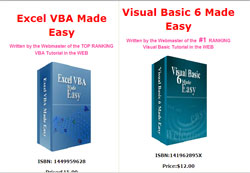
Excel Vba Made Easy And Visual Basic 6 Made Easy
Price: $15.00
|
|

